Order your Jarvis
Tell us who you are, then pay by Venmo or Zelle. Your access code arrives by email as soon as the payment is confirmed.
Send your payment
Your order is in. Send and put your order number in the payment note so we can match it.
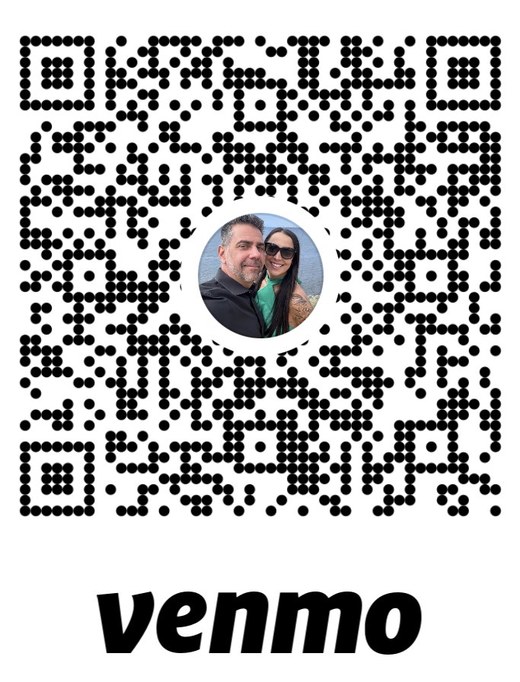
Scan the code with your phone's camera or the Venmo app. On your phone already? Tap here to open Venmo.
Send to 714-306-5260
What happens next
As soon as your payment is confirmed (usually within a few hours), we email your access code. Enter it at buildmyjarvis.com/download to get the installer, your license key, the Owner's Guide and the full package.
Questions? support@buildmyjarvis.com or (424) 234-2781, press 2.
Request received
No payment needed. We look at every request ourselves, and email an access code — usually within a day.
What happens next
Enter the code at buildmyjarvis.com/download. Your page has the Windows download, your license key and the install steps. You'll need a 64-bit Windows 10 or 11 PC that can stay on, and your own Claude account.
This is a test version: tell us what works and what doesn't — support@buildmyjarvis.com or (424) 234-2781, press 2.
You're all set
No payment needed. Once your friend code is checked, we email your access code — usually within 10 minutes.
What happens next
Enter the code at buildmyjarvis.com/download to get Jarvis, your license key and the guides. You'll need a Mac with Apple silicon (M1 or newer) on macOS 13 or newer, and your own Claude account.
Thanks for testing — tell us what works and what doesn't: support@buildmyjarvis.com or (424) 234-2781, press 2.